
How it works
From a customer call to a prioritized need in five steps.
You can analyze your first transcript within ten minutes of signing up. AI does the reading and the first draft; a person makes every decision.
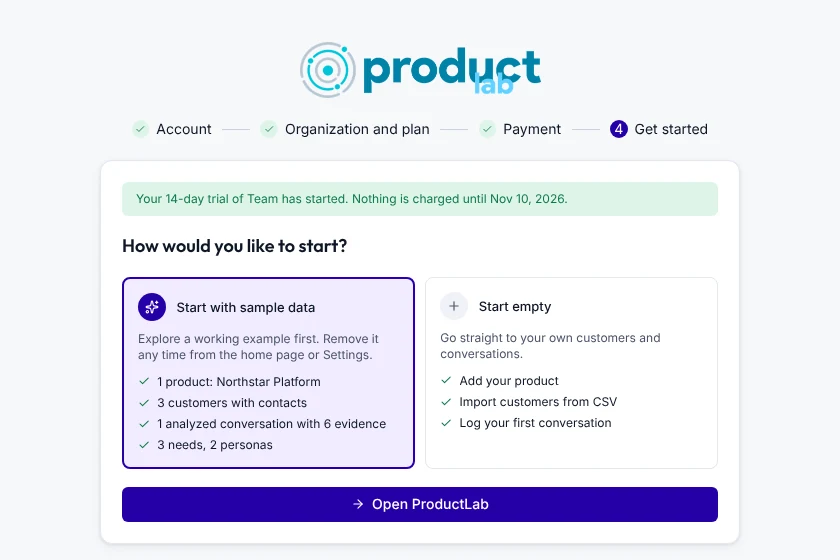
Start a trial and explore the sample
Sign up with Google, GitHub, Slack, or email, name your organization, and start a 14-day trial. Choose sample data to open a call that's already analyzed, so you can see the whole flow before you add your own.
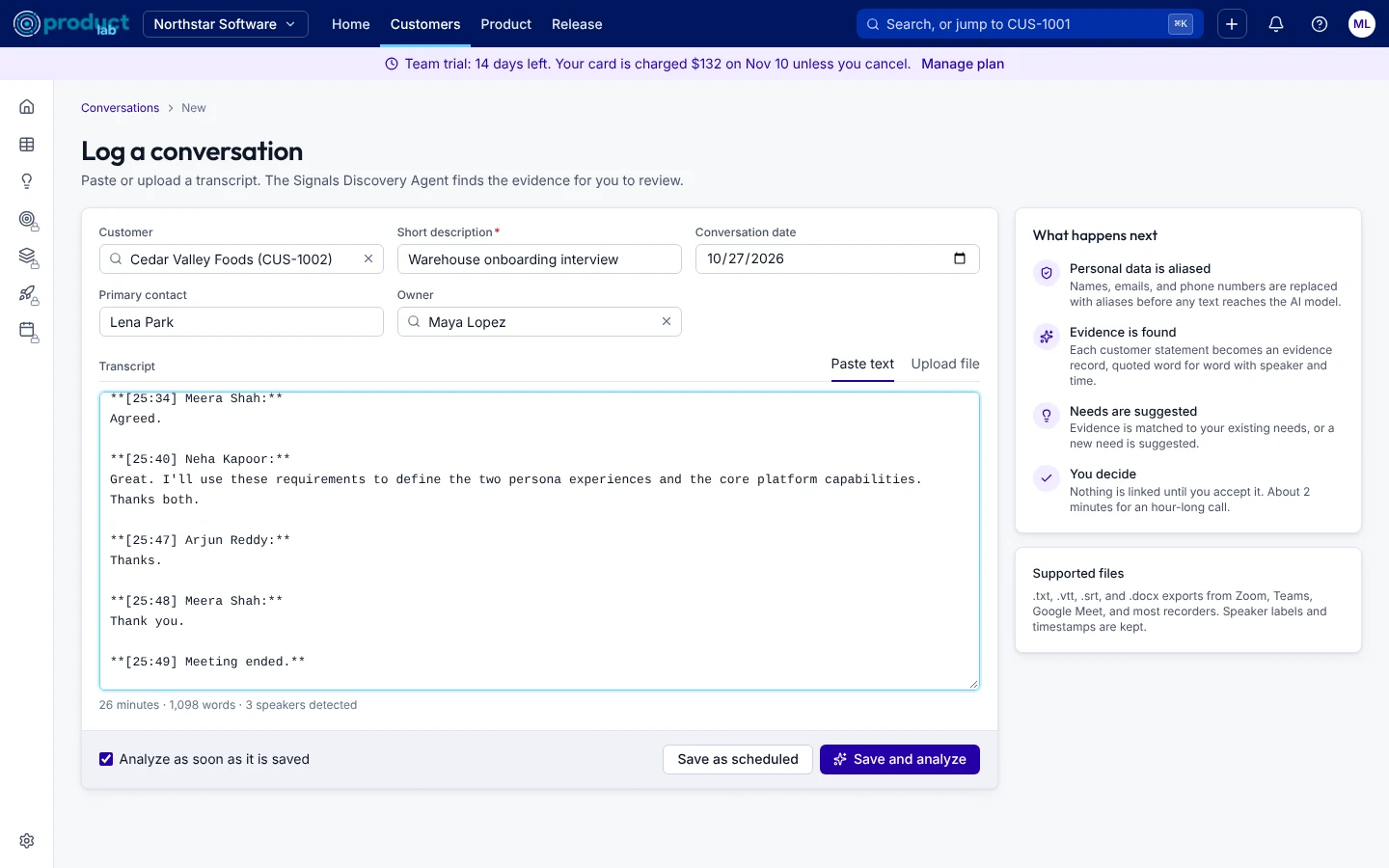
Log a customer conversation
Pick the customer, then paste the transcript or upload the file from Zoom, Teams, Meet, or your notes. Sygnyfy detects the speakers and shows you who's who before you save.
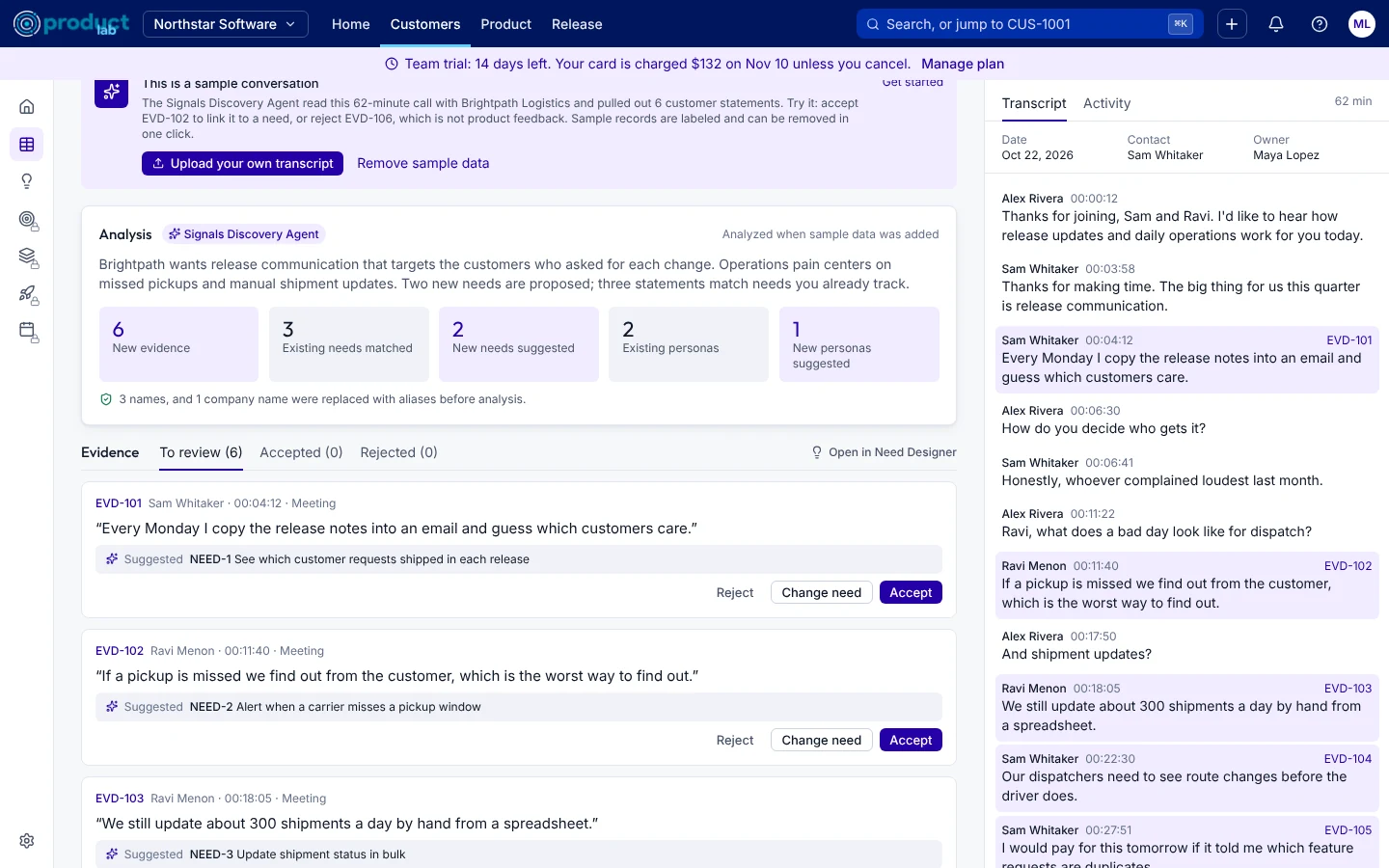
Review the evidence AI finds
Personal data is aliased, then the Signals Discovery Agent reads the call. Within a minute or two you get a summary and each statement the customer made, matched to an existing need or a suggested new one. Accept, reject, or change each one.
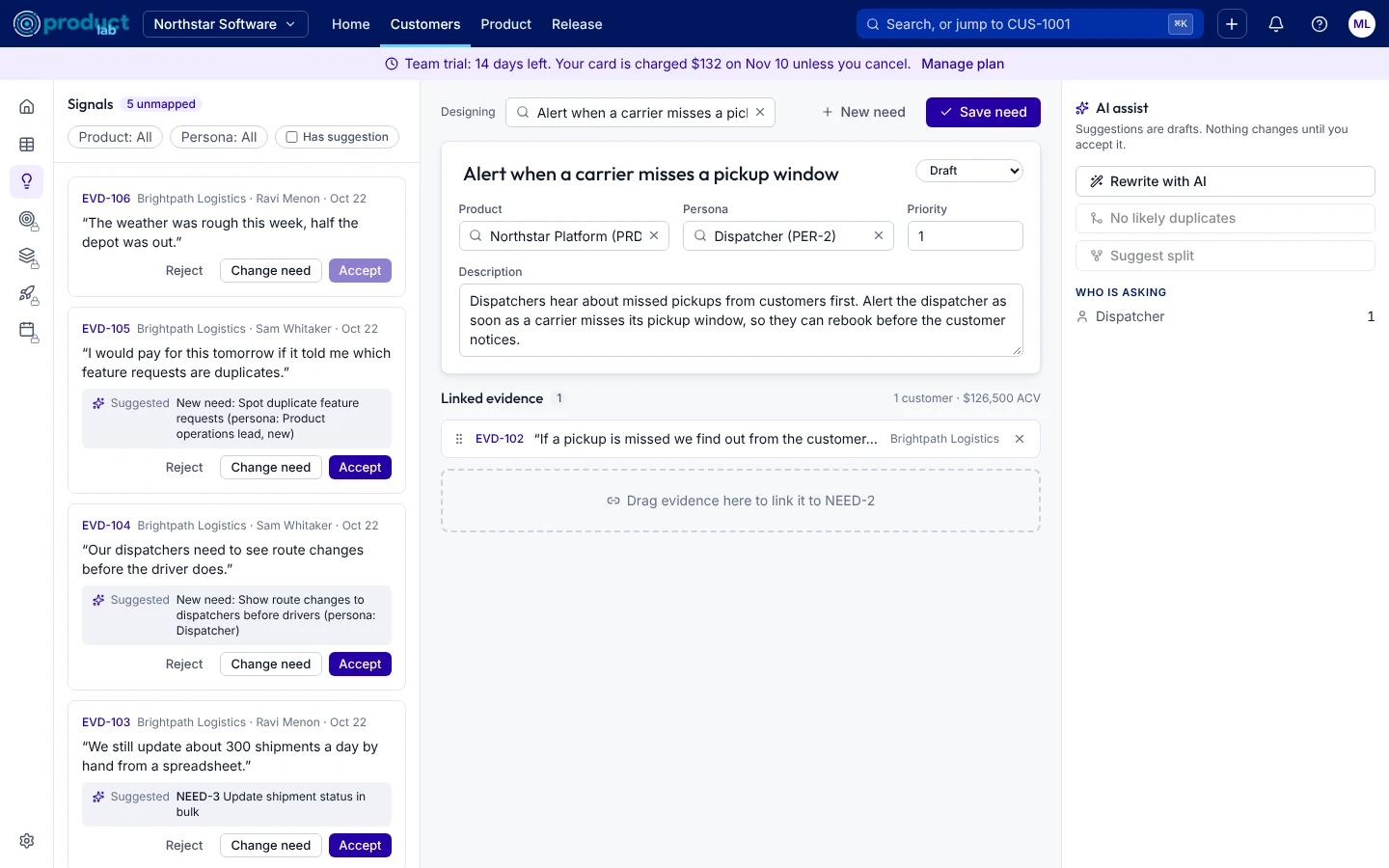
Design needs in the Need Designer
Drag evidence onto a need to link it. Ask AI to rewrite the need from what customers said, find duplicates to merge, or split a need that covers two problems. Nothing changes until you accept it.
Prioritize, then share with your team
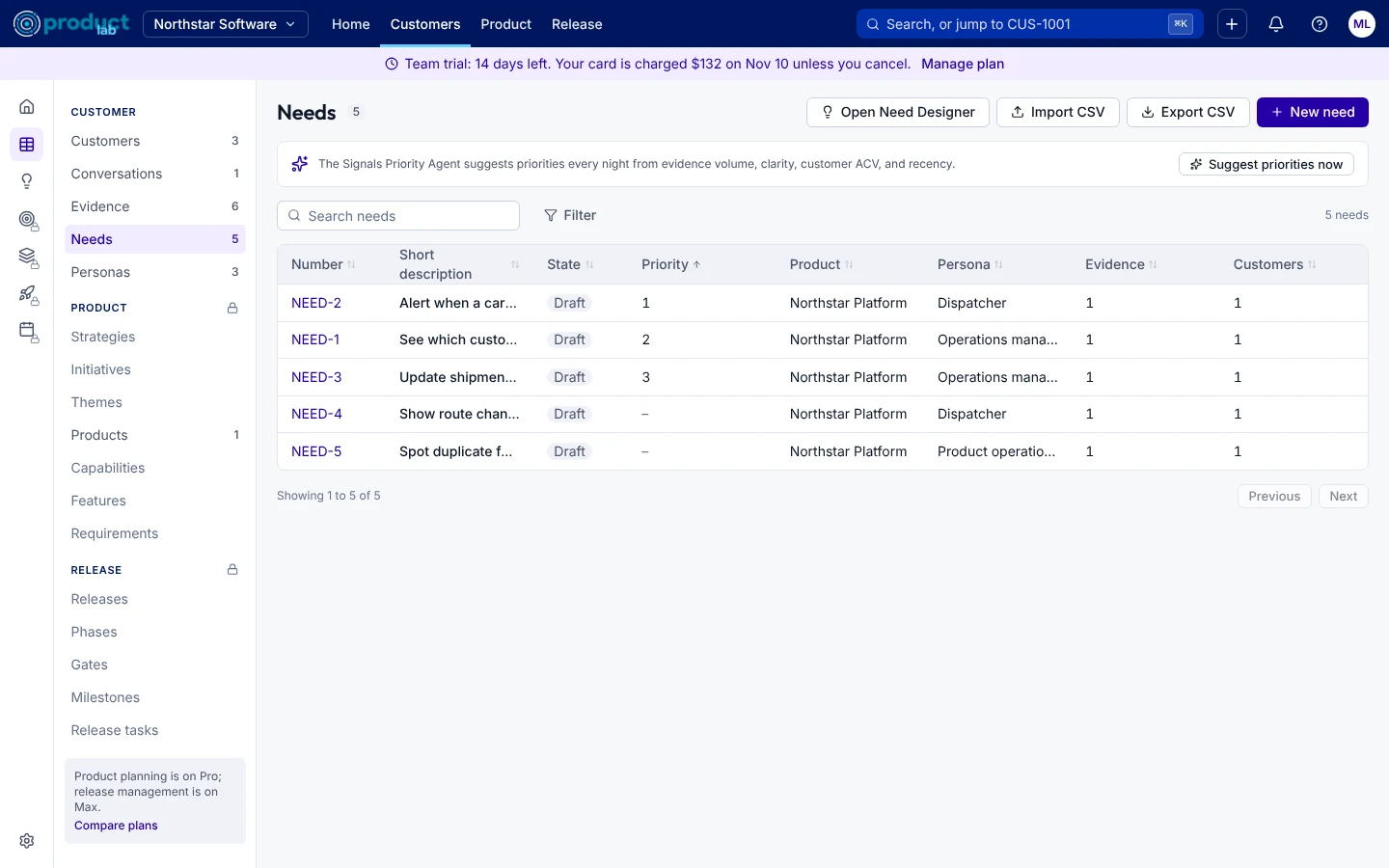
The Signals Priority Agent suggests a priority for every open need, with a one-sentence reason. Accept them all or one at a time, then invite teammates so product, sales, and success work from the same evidence.
Want the details? Read Getting started in the docs.
Hear every customer, starting today.
Start a 14-day trial, open the sample conversation, and see what Sygnyfy finds. Setup takes a few minutes.